


HOW TO SETUP PAYPAL ACCOUNT

If you are a Freelancer, PayPal is one way to receive money from your client. You can also purchase any items online via PayPal and you need to link your Bank card to it. Learn on how to setup PayPal Account if you are in the Philippines.
1. Go to PayPal Website .

2. Click Sign Up Button to register.
3. Select Personal Account then click Next.
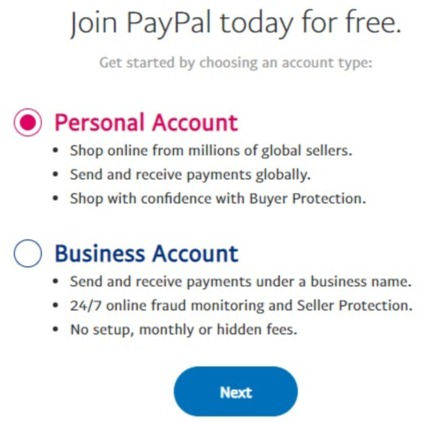
4. Under Personal Account choose the following: Online Shopper, Individual Seller/Freelancer, Both of the above, I'm not sure

5. Enter your Phone Number to get the verification code.
6. Enter the characters that shown on the image/box.

7. Setup your Profile and create a Password. Click Next.

8. Add your Permanent or Current Address. Put a check mark on the box to agree PayPal's Policy.

9. And you're all set! You can now link your Bank information.

Comments